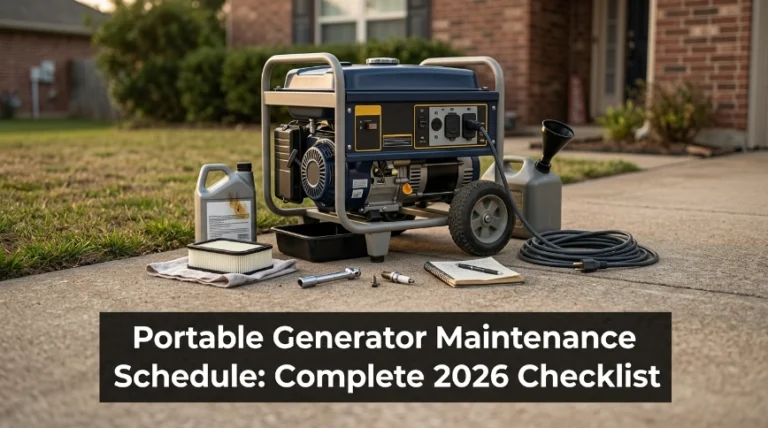
10 Best Portable Generators for Laptop in 2026: Ranked by Charging Power and Portability
The best portable generator for laptop charging right now is the Anker SOLIX C1000 Gen 2 — a Guinness-certified fastest-recharging 1kWh station. We compared 10 portable power stations against published specifications and independent reviews, scoring each on laptop charging, portability, and runtime. Most look identical on paper but fail with weak USB-C ports, loud fans, or tiny batteries. Whether you need quiet desk power, travel-ready charging, or camping backup, this guide gives you one clear answer.
Quick Comparison: All 10 Products Ranked
| # | Product | Best For | Rating | Badge | |
|---|---|---|---|---|---|
| 1 | Anker SOLIX C1000 Gen 2 | Remote work, all-round use | 4.6/5 | Best Overall | Buy → |
| 2 | Bluetti Elite 100 V2 | Quiet home offices | 4.5/5 | Best for Home Office | Buy → |
| 3 | DJI Power 1000 Mini | Mobile work and travel | 4.4/5 | Best for Mobile Work | Buy → |
| 4 | Jackery Explorer 1000 v2 | 1kWh runtime, lighter weight | 4.4/5 | Best Value | Buy → |
| 5 | EcoFlow DELTA 2 | Expandable setups | 4.3/5 | Best Expandable | Buy → |
| 6 | Anker SOLIX C300 DC | USB-C laptops, travel | 4.2/5 | Best Ultralight USB-C | Buy → |
| 7 | Anker SOLIX C800 Plus | Camping workstations | 4.1/5 | Best for Camping Work | Buy → |
| 8 | Jackery Explorer 300D | Silent USB-C charging | 4.1/5 | Best Silent Pick | Buy → |
| 9 | EcoFlow RIVER 3 Plus | Day trips, short outages | 3.9/5 | Best Compact AC Power | Buy → |
| 10 | Bluetti EB3A | Light laptop duty | 3.8/5 | Best Entry-Level | Buy → |
How We Chose These Portable Power Stations
What we compared
10 stations from Anker, Bluetti, DJI, EcoFlow, and Jackery, ranging from 268Wh to 1,070Wh, using manufacturer spec sheets and independent reviews from PopSci, TechRadar, CleanTechnica, StorageReview, and PhoneArena.
Our 3 scoring criteria
Laptop charging (USB-C wattage, AC output, UPS support), portability (weight and size), and runtime (capacity). Scores are editorial ratings out of 5 based on published specs, not lab measurements.
Spec accuracy
Figures come from manufacturer pages and retailer listings. Where regional models differ, such as outlet counts, we list only numbers that match across sources. Confirm details on the product page before buying.
What we cut, and why
We left out the Bluetti Elite 200 V2 (24.2 kg and far more capacity than a laptop needs) and gas inverter generators, which are noisy and unsafe to run indoors.
What to Look for When Buying a Portable Power Station for Your Laptop
Every pick here is a battery power station, not a gas generator, which is the quieter and safer choice for charging a laptop. If you are still weighing the two types, our power station versus a gas generator breakdown covers the trade-offs.
1. How Your Laptop Actually Charges (USB-C or AC)
Check your charger rating first. Most thin-and-light laptops use 45W to 100W and charge happily over a 100W USB-C port, while gaming laptops often need 150W or more from an AC outlet. Stations with both, such as the C1000 Gen 2, cover every case. DC-only models like the C300 DC and Explorer 300D skip the inverter, which saves weight but locks you into USB-C charging. If that trade-off is new to you, see how portable generator DC output works.
2. Capacity and Real-World Runtime
Capacity is measured in watt-hours. A rough rule is capacity times 0.85, divided by your laptop battery size, and 60Wh is typical. By that math a 1,024Wh station gives around 14 full charges, while a 288Wh unit gives about four. If your laptop draws 45W while you work, a 288Wh station runs it for roughly five hours.
3. Clean Power and Battery Safety
Laptops want clean power. Every station here uses LiFePO4 cells, a chemistry known for stability and long cycle life. On AC models, look for pure sine wave output, which behaves like a wall outlet, and learn what not to plug into an inverter before you connect anything unusual. Because there is no combustion, these stations are safe to use indoors, unlike gas models that produce carbon monoxide.
4. Portability and Recharge Speed
The 1kWh stations here weigh 23.8 to 27 lb, while the compact class weighs roughly 5 to 10 lb. Recharge speed matters more than people expect, because the fastest models reach 80% in under an hour, so you can top up over lunch. If you will carry it daily, favor the compact class; if it lives under a desk, favor capacity.
Anker SOLIX C1000 Gen 2 — Our top pick for most laptop users
Best for: Remote workers who want one station for everything
If you want one station that handles a laptop, a monitor, and a router at the same desk, this is the one. The C1000 Gen 2 pairs a 1,024Wh LiFePO4 battery with 2,000W of AC output and a 140W USB-C port, so even power-hungry ultrabooks charge at full speed. Anker says it fully recharges in 49 minutes once UltraFast mode is enabled in the app, and it cites a Guinness World Records title for fastest 1kWh recharging. At 24.9 lb it is no featherweight, the USB-C ports are output only, and the fans get loud during the fastest charging.
- 2,000W AC output covers monitor and desk
- 140W USB-C charges ultrabooks at full speed
- 49-minute full recharge with app mode
- USB-C ports are output only
- Fans get loud during UltraFast charging
AC output2,000W (3,000W peak)
Top USB-C140W
Weight24.9 lb (11.3 kg)
Cycle life4,000 cycles to 80%
Recharge49 min full (app mode)
4.9/5
4.0/5
4.8/5

Bluetti Elite 100 V2 — Quiet, UPS-ready, ideal for home offices
Best for: Quiet home offices and short-outage backup
Working from a quiet room? The Elite 100 V2 runs at about 30 dB under 600W, which means no fan whine over a video call. It packs 1,024Wh and 1,800W into a 25.3 lb body, with four AC outlets plus a 140W and a 100W USB-C port for laptops. A 10ms UPS switchover helps a desktop-style setup ride through brief outages, and Bluetti rates the battery for 4,000 cycles. It holds slightly less capacity than the older AC180 it replaces, and 25 pounds still feels heavy if you carry it every day.
- About 30 dB under 600W load
- 10ms UPS switchover for brief outages
- 140W and 100W USB-C ports
- 25.3 lb is heavy for daily carry
- Less capacity than the older AC180
AC output1,800W (3,600W peak)
Top USB-C140W + 100W ports
Weight25.3 lb (11.5 kg)
Cycle life4,000+ cycles to 80%
Recharge80% in 45 min (Turbo)
4.8/5
3.9/5
4.7/5
DJI Power 1000 Mini — Compact 1kWh with a built-in cable
Best for: Frequent movers who want a compact 1kWh
Anyone who moves between cafes, vans, and campsites will appreciate how compact this is. The Power 1000 Mini holds 1,008Wh in a body of roughly 14 liters that weighs about 11.5 kg (25 lb), and its built-in retractable 100W USB-C cable means one less thing to pack. Fast Recharge mode takes it from empty to 80% in 58 minutes. Continuous AC output is 800W, so a laptop and monitor are easy, but a kettle or space heater is not. It is also a newer product, so long-term reliability reports are still thin.
- Built-in retractable 100W USB-C cable
- Roughly 14 L, compact for 1kWh
- 80% recharge in 58 minutes
- Lowest AC output among the 1kWh models
- Newer model with limited track record
AC output800W (1,000W max)
Top USB-C100W + 100W cable
WeightAbout 25 lb (11.5 kg)
Cycle life4,000 cycles to 80%+
Recharge80% in 58 min
4.7/5
4.0/5
4.5/5
Jackery Explorer 1000 v2 — Lightest 1kWh option with strong output
Best for: Buyers who want 1kWh runtime at lower weight
If you want 1kWh-class runtime without hauling much weight, start here. The Explorer 1000 v2 delivers 1,070Wh and 1,500W of AC output in a 23.8 lb body, the lightest of the 1kWh stations in this guide. One USB-C port supplies 100W for laptops, the other 30W, and an app-activated mode recharges it in about an hour. TechRadar’s reviewer ran three computers and charged cameras on it for a full day without issue. Jackery rates the battery at 4,000 cycles to 70%, a looser standard than rivals that quote 80%.
- Lightest 1kWh station here at 23.8 lb
- 1,500W AC covers desk and extras
- About one-hour recharge via app mode
- Cycle rating measured to 70%, not 80%
- Only one USB-C port delivers 100W
AC output1,500W (3,000W surge)
Top USB-C100W + 30W ports
Weight23.8 lb (10.8 kg)
Cycle life4,000 cycles to 70%+
RechargeAbout 1 hr (app mode)
4.4/5
4.1/5
4.7/5

EcoFlow DELTA 2 — Expandable power for growing setups
Best for: Setups that may need more capacity later
Buy this one if you expect your needs to grow. The DELTA 2 starts at 1,024Wh with 1,800W of AC output, and EcoFlow lets you add one DELTA 2 extra battery for 2,048Wh or a DELTA Max battery for 3,040Wh. It has 13 ports, including two 100W USB-C outputs, and reaches 80% charge in about 50 minutes. The design dates to 2022, so USB-C stops at 100W while newer rivals offer 140W. At 27 lb it is also the heaviest 1kWh unit here, which matters if you move it often.
- Expandable to 2,048Wh or 3,040Wh
- 13 ports cover a full desk setup
- 80% recharge in about 50 minutes
- Heaviest 1kWh unit here at 27 lb
- USB-C tops out at 100W
AC output1,800W (2,700W surge)
Top USB-C2 x 100W
Weight27 lb (12 kg)
Cycle life3,000 cycles to 80%
Recharge80% in about 50 min
4.6/5
3.7/5
4.7/5

Anker SOLIX C300 DC — Ultralight USB-C power for fast laptop charging
Best for: USB-C laptops and travel bags
Think of this as a power bank with real staying power. The C300 DC weighs just 2.8 kg (about 6.2 lb) yet holds 288Wh, enough for roughly four full charges of a 60Wh laptop battery by our estimate. Two 140W two-way USB-C ports charge laptops fast and also recharge the unit, reaching 80% in about an hour. There is no AC outlet, so a laptop that needs its wall brick will not work with it. Output is capped at 300W across all ports, so heavy simultaneous loads can hit the limit quickly.
- Dual 140W two-way USB-C ports
- Only 2.8 kg, backpack friendly
- 80% recharge in about an hour
- No AC outlet at all
- 300W output shared across all ports
AC outputNone (DC only)
Top USB-C2 x 140W + 100W
Weight6.2 lb (2.8 kg)
Cycle life3,000+ cycles
Recharge80% in about 1 hr
4.7/5
4.9/5
2.9/5

Anker SOLIX C800 Plus — Camping-ready power with built-in lights
Best for: Camping workstations and backyard work
For camping or backyard work sessions, this station brings its own light. The C800 Plus has 768Wh, 1,200W of AC output, and five AC outlets in a 24 lb body, plus built-in LED camping lights and a retractable pole. That is enough for roughly ten full charges of a 60Wh laptop battery by our estimate. Anker says it fully recharges in 58 minutes with UltraFast enabled. USB-C tops out at 100W, and the USB-C ports are output only, so you cannot use them to recharge the station itself.
- Built-in LED lights and retractable pole
- Five AC outlets, 1,200W output
- Full recharge in 58 minutes (UltraFast)
- USB-C ports are output only
- USB-C tops out at 100W
AC output1,200W (1,600W SurgePad)
Top USB-C100W + 30W ports
Weight24 lb (10.9 kg)
Cycle life3,000 cycles
Recharge58 min full (UltraFast)
4.3/5
3.9/5
4.0/5
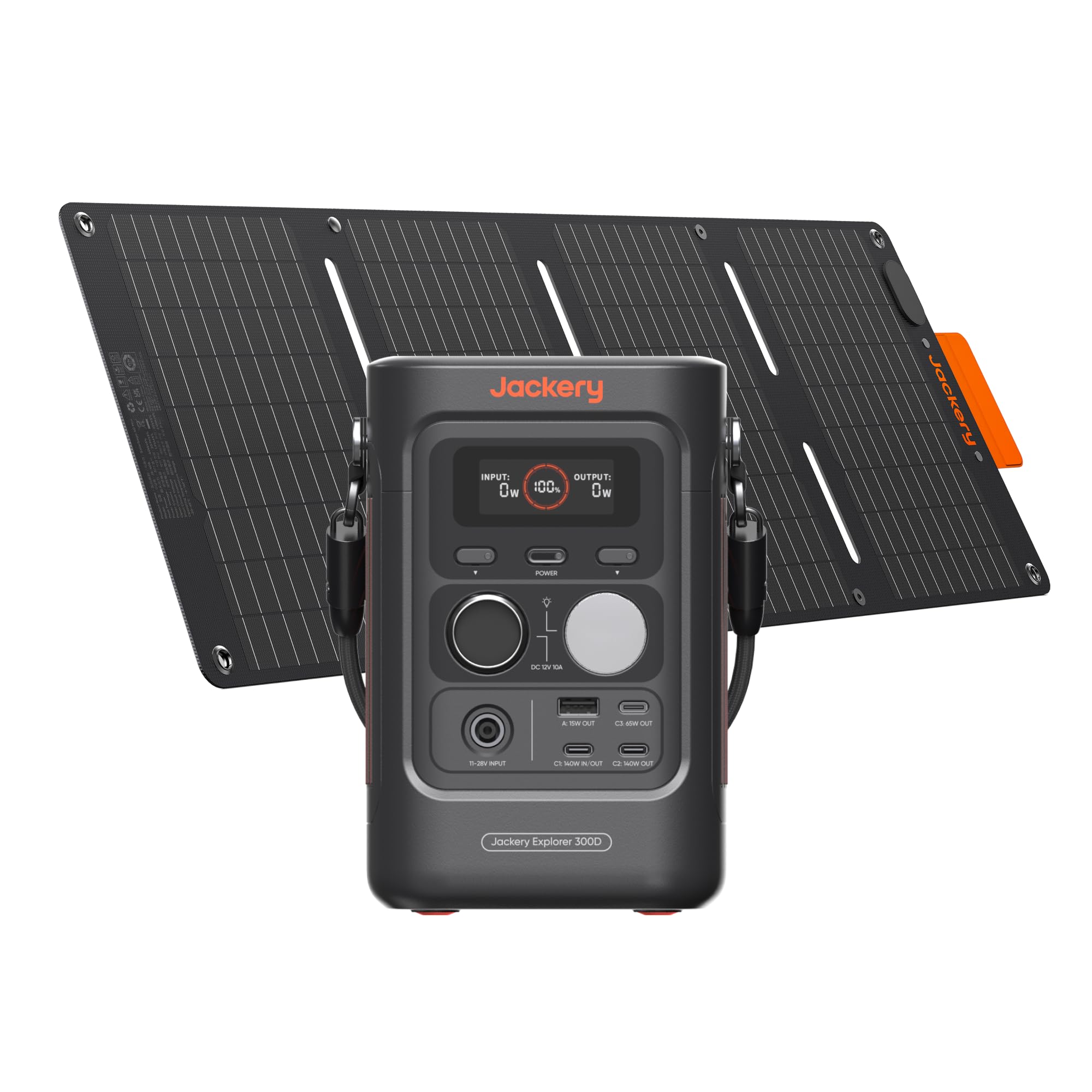
Jackery Explorer 300D — Silent, fanless USB-C power in a tiny body
Best for: Silent USB-C laptop and phone charging
Light sleepers and library workers will like this one, because it makes almost no noise. The Explorer 300D uses a fanless design, weighs 2.5 kg (about 5.5 lb), and holds 288Wh, roughly four laptop charges by our estimate. It has three USB-C ports, including two rated 140W, a USB-A port, and a 12V car socket. Because it has no AC output, it cannot run a laptop’s wall charger or household appliances. Check that your laptop charges over USB-C at 140W or less before you buy, or the unit will not suit you.
- Fanless, near-silent operation
- Two 140W USB-C ports plus a third
- Just 2.5 kg
- No AC output for wall chargers
- 288Wh gives roughly four laptop charges
AC outputNone (DC only)
Top USB-C2 x 140W + 65W
Weight5.5 lb (2.5 kg)
Cycle lifeUp to 4,000 cycles
RechargeAbout 2.3 hr
4.5/5
5.0/5
2.9/5
EcoFlow RIVER 3 Plus — Smallest station with real wall outlets
Best for: Day trips and short outages
This is the smallest station here that still gives you wall outlets. The RIVER 3 Plus offers 600W of AC output, 286Wh of LiFePO4 capacity, and a 100W USB-C port in a 4.7 kg (10.4 lb) body. EcoFlow quotes about an hour for a full AC recharge, and the battery expands to 858Wh with add-on packs. Expect around four laptop charges by our estimate, so it suits day trips and outages, not multi-day work. Under heavy loads the small battery drains fast, and USB-C stops at 100W.
- 600W AC output in a compact body
- Expandable from 286Wh to 858Wh
- Full AC recharge in about an hour
- 286Wh drains fast under heavy loads
- USB-C stops at 100W
AC output600W (1,200W surge)
Top USB-C100W
Weight10.4 lb (4.7 kg)
Cycle life3,000 cycles to 80%
RechargeAbout 1 hr (AC)
4.2/5
4.6/5
2.9/5
Bluetti EB3A — Entry-level AC power for light laptop duty
Best for: Occasional laptop and phone charging
If you only need AC power for a laptop and a phone, the EB3A covers the basics in a 4.6 kg (10.1 lb) body. It combines a 268Wh LiFePO4 battery, a 600W pure sine wave inverter, a 100W USB-C port, and a 15W wireless charging pad. Bluetti quotes more than 2,500 cycles. One reviewer saw only about 20W from the USB-C port until switching to an e-marked 20V/5A cable, so use a proper cable. Capacity covers roughly three laptop charges by our estimate, and the design is older than most rivals here.
- 600W pure sine wave AC inverter
- Built-in 15W wireless charging pad
- Light at 4.6 kg
- Needs e-marked cable for full 100W
- Older design with small 268Wh capacity
AC output600W (1,200W surge)
Top USB-C100W
Weight10.1 lb (4.6 kg)
Cycle life2,500+ cycles to 80%
RechargeAbout 1.3-1.8 hr (Turbo AC)
4.0/5
4.6/5
2.8/5
Top 3 Head-to-Head: C1000 Gen 2 vs Elite 100 V2 vs DJI 1000 Mini
These three are where most readers end up, because they share 1kWh-class capacity and a similar 25 lb weight while differing in output, ports, and size.
| Feature | #1 C1000 Gen 2 | #2 Elite 100 V2 | #3 DJI 1000 Mini |
|---|---|---|---|
| AC output (continuous) | 2,000W — Best | 1,800W | 800W |
| Full recharge time | 49 min (app mode) — Best | About 70 min | 75 min (fast mode) |
| USB-C for laptops | Up to 140W | 140W + 100W ports — Best | 100W + 100W cable |
| Footprint | About 19.5 L | About 17 L | About 14 L — Best |
| Choose if… | You want the strongest output and fastest refill | You work in a quiet room and want UPS-style backup | Bag space matters and 800W is enough |
Who These Portable Power Stations Are NOT For
These stations excel at laptops and small electronics, but they are the wrong tool for a few jobs.
If your laptop needs more than 140W through USB-C, skip the DC-only C300 DC and Explorer 300D and choose an AC model such as the RIVER 3 Plus or the EB3A. And if you need to fly with the unit, none of these qualify: airline rules generally prohibit spare lithium batteries above 160Wh, and every model here is larger.
Common Mistakes to Avoid
Most laptop-charging problems trace back to a handful of avoidable buying and usage errors.
Frequently Asked Questions
What is the best portable generator for charging a laptop?
Can I charge a laptop with a portable generator?
How many times can a portable power station charge a laptop?
What size portable power station do I need for a laptop?
Is it safe to charge a laptop with a portable power station?
Can I use my laptop while the power station is charging?
Can I take a portable power station on a plane?
Final Verdict: The Best Portable Generator for Your Laptop
For most people, the Anker SOLIX C1000 Gen 2 is the safest buy, because it pairs a 140W USB-C port, 2,000W of AC output, and a 1,024Wh battery in under 25 lb.
If you want quiet, choose the Bluetti Elite 100 V2. If you want to travel light, choose the Anker SOLIX C300 DC. Whatever you pick, match the port wattage to your laptop first.

Hi, I’m Michael Turner. I own a generator workshop in the United States and founded HomeGeneratorBlog to share practical, hands-on guidance about generator installation, maintenance, troubleshooting, safety, and backup power solutions. My goal is to help homeowners make smarter, more confident decisions through clear and reliable information